
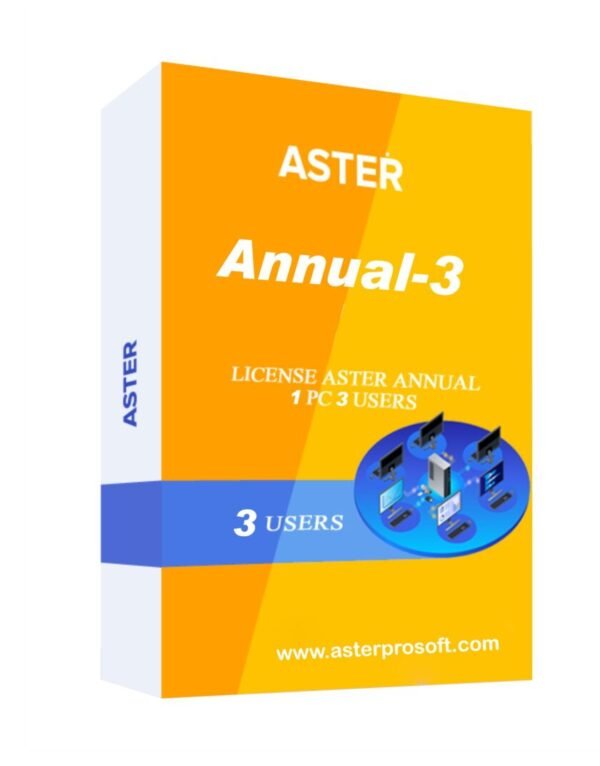
ASTER ANNUAL-3
ASTER ANNUAL-3 (3 workplaces, MS Windows 7/8/10/11/Server 2016/Server 2019, annual subscription)
- This is a 1 Year license for ASTER installation on Microsoft Windows 8/10/11, Windows Server 2016/2019/2022
- The license allows organizing 3 workplaces
- The number of workplaces can be expanded up to 12 workplaces by activating multiple licenses on the same PC
- It is possible to transfer the license to another PC 4 times only
- The license is supported only starting from the 2.51 ASTER version
- It is possible to assign different IP addresses to workstations
Minimum Hardware Requirements for 3 Work Stations
- Intel Core i3 Processor / AMD Ryzen 3
- RAM: 8GB RAM
- 320GB HDD / SSD
- Required 2 GB Graphics Card
Key Benefits
- Money Saving: With our software you can save money on additional computers.
- Low Noise: Multiseat systems reduce noise levels by eliminating additional system units.
- Space Saving: You can create an additional workplace even in a small room.
- Easy to Use: ASTER can be started or unloaded at any time as a usual program.
- Electric Saving: Using ASTER Software you can reduce your electricity bill up to 4 times.
- Zero Network Load: Data exchange between workplaces does not increase network traffic.
- Eco Friendly: We will help you save nature.
- Quick Development: Installing ASTER does not require formatting the disk or reinstalling Windows.
Additional Features
- Easy accessibility and usage: ASTER Software is an easy program to install and run.
- Affordable price and lower equipment purchase expenses: In addition to its cheap price, ASTER Software also saves electricity and space.
- Saves electricity and space: You can cut down on your electricity usage when you install ASTER Software.
- Comparable to other Multiseat programs: Programs such as Useful, MS MultiPoint, Botwin, etc. can be compared to ASTER Software because they don’t require thin clients or terminal stations.
- Create multiple workstations at the cheapest rate: You can save a lot of money on purchasing additional computers. Affordability standards are maintained by ASTER Software.
- Ability to design various workspaces: With ASTER Software in venues like libraries, internet cafes, offices, schools, etc. you can design many workspaces.
- Single desktop for multiple students: In classrooms, a PC set-up for multiple students can be created within a single desktop.
- Noise level reduction: ASTER Software is a multi-seat system that lowers noise levels by removing extra system components.
- Multiple workspaces with unhindered network: Having multiple workplaces does not result in network traffic load. Anyone can enjoy easy surfing.
- Less upgrading cost: There is a reduction in the costs of upgrading.
- Less space required: Since there is really only one complete computer, the system takes up much less space, which allows you to make more efficient use of your facilities.
- Optimized latest versions: The latest versions have been optimized for better performance.
- Wide compatibility: ASTER Software works with microphones, video cards, speakers, tablets, card readers, displays, and even wireless devices.
- Smooth functioning: Applications that use video and 3D graphics run smoothly on ASTER Software.
- Windows 7/8.1/10/11 compatibility: Unlike other clients, ASTER Software is fully compatible with modern Windows systems.
- No special computing resources needed: ASTER Software requires nothing special when it comes to computing resources.
- Saves resources: ASTER Software is designed with resource saving in mind.
- No need for a local network between stations: All stations work from the same PC. Internet and peripheral devices (printers, scanners, etc.) are automatically shared to all workstations.
- Electricity saving: Since the system unit consumes most of the power, ASTER reduces overall energy usage. It is highly recommended for residential use.
Forget N Computing & Other Solutions
The ASTER Annual-3 license Software allows the creation of only 3 workstations (Best N Computing Alternative).
The ASTER Annual-3 Software license is a subscription for up to one year. After one year of use, you need to buy a new license.
Please note that the ASTER Annual-3 Software license only supports 3 workstations. The number of workplaces can be expanded up to 12 by activating multiple licenses on the same PC.
How To Use ASTER Multiseat Software?
ASTER Software is simple to set up and use. You can follow these steps:
- Following installation, ASTER Software will instantly identify every monitor attached to your computer and generate a unique desktop for each.
- Your computer will instantly start up when you switch it on, allowing users to access their allocated computers right away with no further setup required.
- After configuring the software, you can activate ASTER Software and operate additional workstations immediately.
- To turn on ASTER Software, press Enable ASTER and the Restart PC button on the General Tab in the ASTER Control Panel. Your computer will restart immediately, with the software working as intended.
About ASTER
ASTER is a program (and only a program!) that allows you to create several workplaces on the basis of one system unit.
ASTER is a software solution that does not use thin clients or terminal stations.
To add additional workplaces, simply connect an extra monitor (or TV), keyboard, and mouse. If needed, each workplace can have separate audio devices and gaming controllers (joysticks). External monitors (preferably DisplayLink monitors) can also be connected via USB or Wi-Fi/LAN.
After installing and launching, ASTER provides each user with their own independent desktop. ASTER is versatile and can be used in various areas—from office computers to gaming systems—while significantly saving on the cost of hardware and software for each workstation.
Licensing & Pricing
Read our ASTER Licensing.
Before purchasing, we recommend you also read our terms of licensing and upgrading.
About wholesale and dealer pricing – write to astersoftware31@gmail.com


Reviews
There are no reviews yet.